
The influencer database is where influencer profiles are stored. It’s the perfect place to keep up-to-date on influencer information and discover talent.
- From the Companion homepage select the ‘Influencers’ icon at the top of the page to open the influencers tab.

2. Select the ‘✨ My Influencers’ icon to enter the influencer database.

3. You can choose to organise your database alphabetically or by ‘most recently added’ using the drop down menu on the top right of the screen.
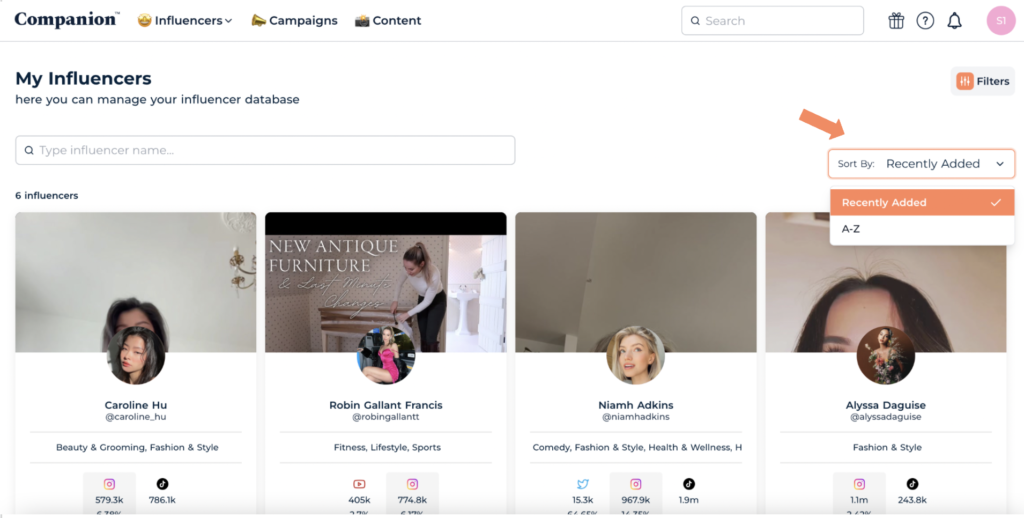
4. You can easily locate an influencer by typing their name in the search bar marked ‘Type influencer name’.
